
WordPress guide
WooCommerce: an agreement with the order
Mark the products that need an agreement. The customer signs after paying, on ordering, or before payment at checkout, and the order shows it.
Before you start
- The plugin installed and this site connected (the getting-started guide).
- WooCommerce, active.
- A form in SignSealer, under Forms & QR, made from the template the customer should sign. The plugin calls it a workflow.
What happens next
- One agreement for each product in the order that needs one, filled in with the customer's name and email, the order number, the product's name and the quantity.
- Works with the classic checkout and the checkout block, and with orders stored as posts or in WooCommerce's own order tables.
- After signing, the customer is offered the way back to their order.
Step by step
The words in bold are the words on the screen. Press a picture to see it full size.
Mark a product
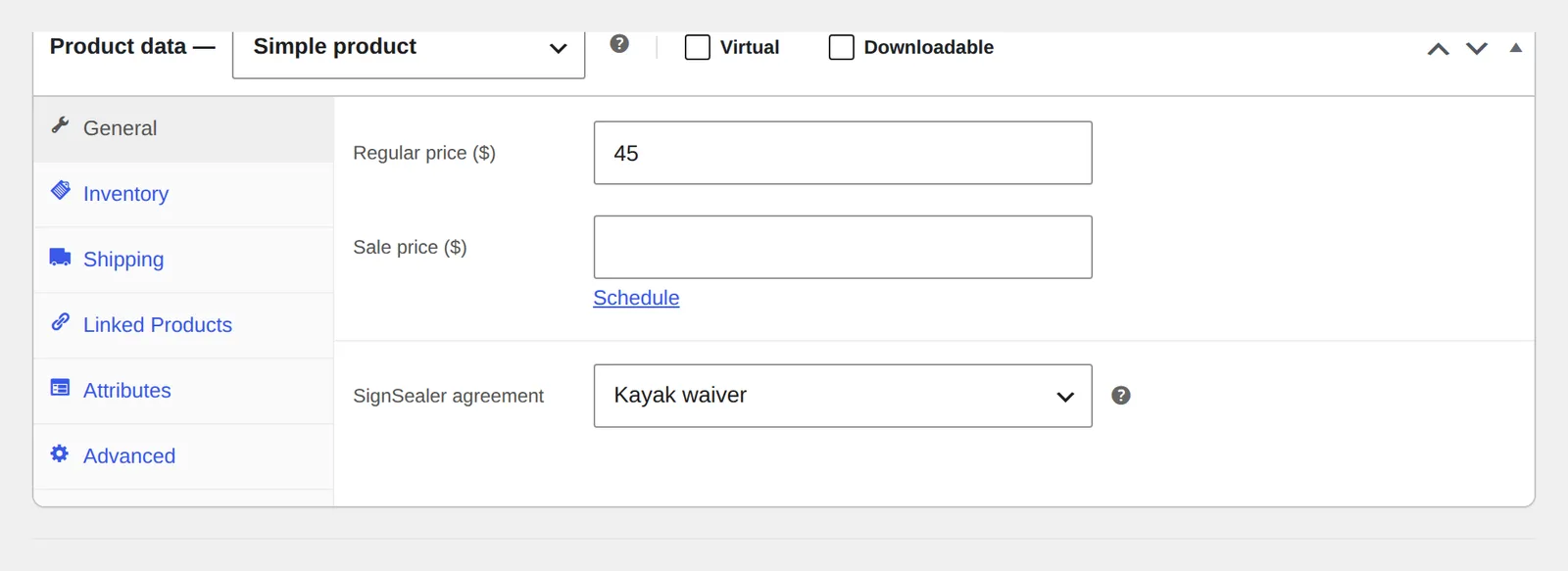
Open Products, edit the product, and in Product data on the General tab choose its SignSealer agreement. Press Update. Products with no agreement are sold exactly as before.
Choose when it is signed
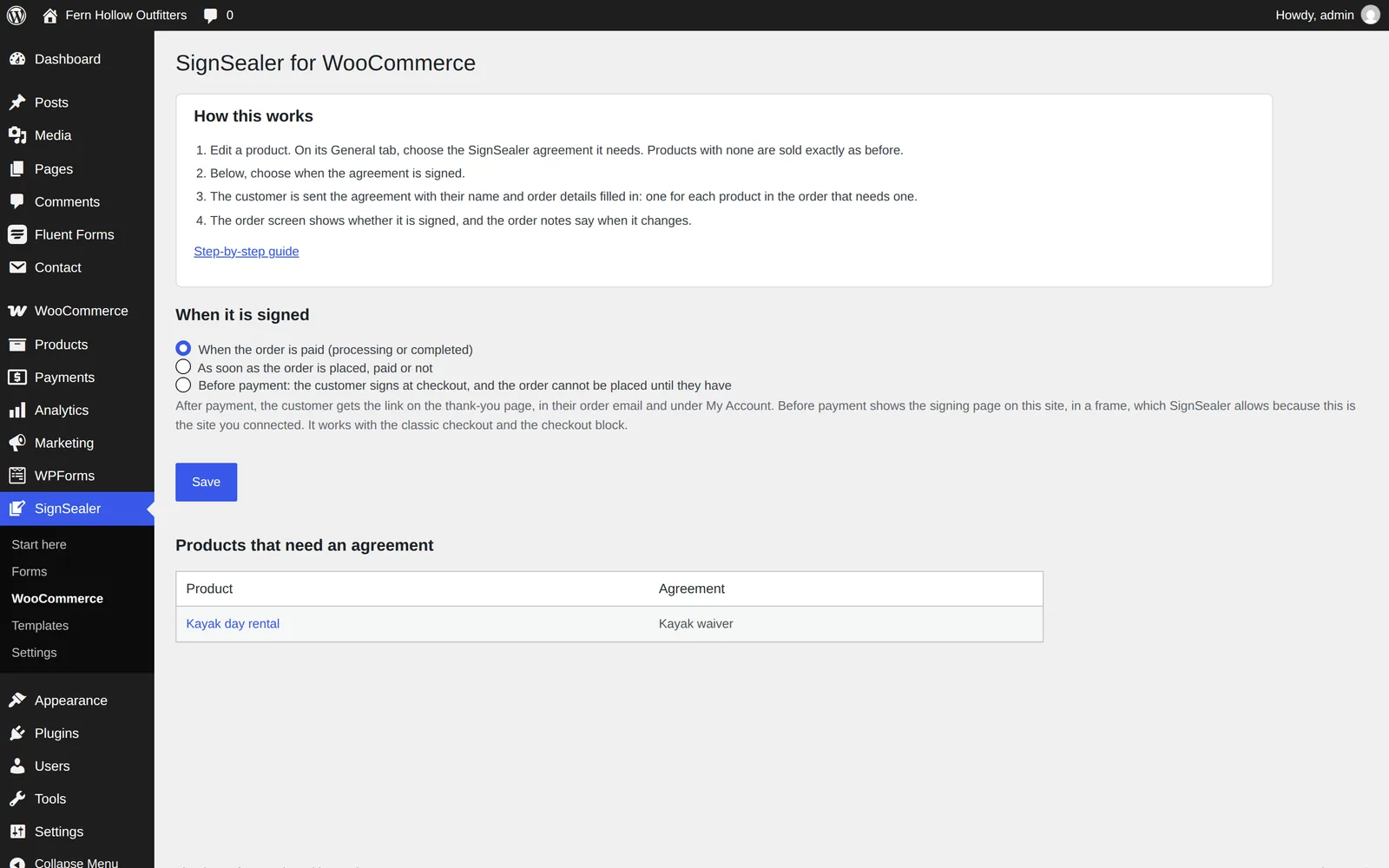
Open SignSealer → WooCommerce. Under When it is signed choose When the order is paid, As soon as the order is placed, paid or not, or Before payment, and press Save. The same page lists every product that needs an agreement.
Place a test order
Buy the product yourself. After payment, the thank-you page has the agreement with a Sign now button, and so do the order email and My Account → Orders. With Before payment, the checkout sends the customer to a page of your site to sign first, and will not place the order until SignSealer says it is signed.

See who signed
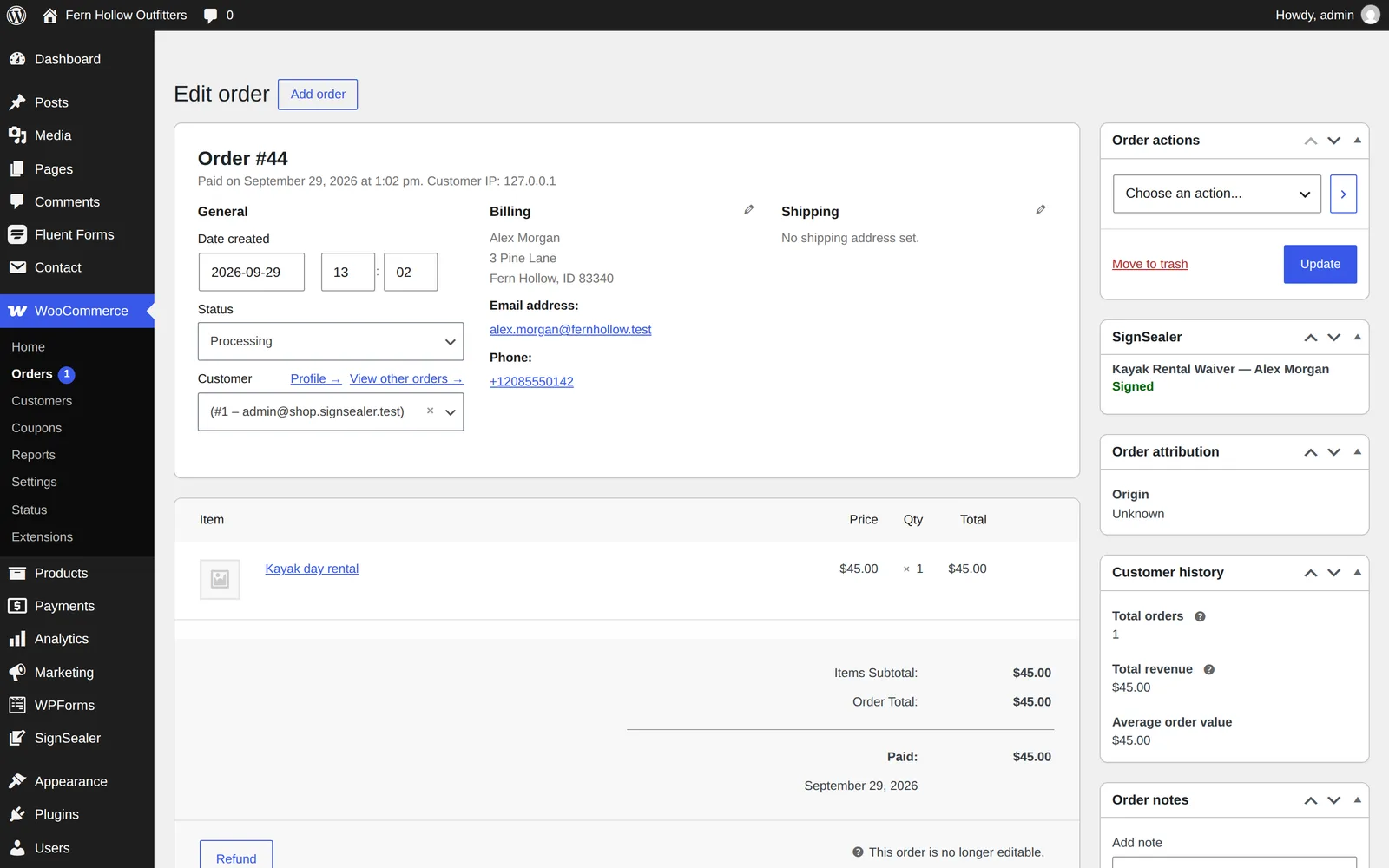
Open the order. The SignSealer box on the order screen shows each agreement and where it stands, and the order notes say when it was sent and when it was signed.
If something is not right
Which should I choose: paid, placed or before payment?
Paid for most shops. Placed when payment happens later — a rental paid at the dock. Before payment when you must not take money for something the customer has not agreed to: a charter, a class, an equipment hire.
An order has no agreement.
Check the product has its SignSealer agreement set on the General tab, and the order has an email address; an order without one is not sent, and a note on the order says why.
The product field has nothing to choose.
The site is not connected, or the business has no active form under Forms & QR in SignSealer yet. New ones appear within five minutes.
Still stuck? Tell us what you see and which plugins the site runs.
The other guides
Getting started
Install the plugin, connect it to your SignSealer account with one button, and make the document your customers sign. About ten minutes.
WooCommerce Bookings
A booking you confirm starts its agreement straight away, paid or not, with the date, time, party size and resource filled in.
Gravity Forms
Connect a Gravity form to a SignSealer workflow once. Each submission ends on the signing page, with the person's details already on the agreement.
WPForms
Connect a WPForms form to a SignSealer workflow once, and every submission ends on the signing page with its details already on the agreement.
Fluent Forms
Connect a Fluent form to a SignSealer workflow once, and every submission ends on the signing page with its details already on the agreement.
Contact Form 7
Connect a Contact Form 7 form to a SignSealer workflow once, and every message sent ends on the signing page.
Signing button
The SignSealer agreement block or a shortcode puts a Sign now button on any page: for walk-ups, a class page, or a form plugin not supported yet.

Ready when the next guest is.
Free for the first 25 agreements a month. No card to start.